
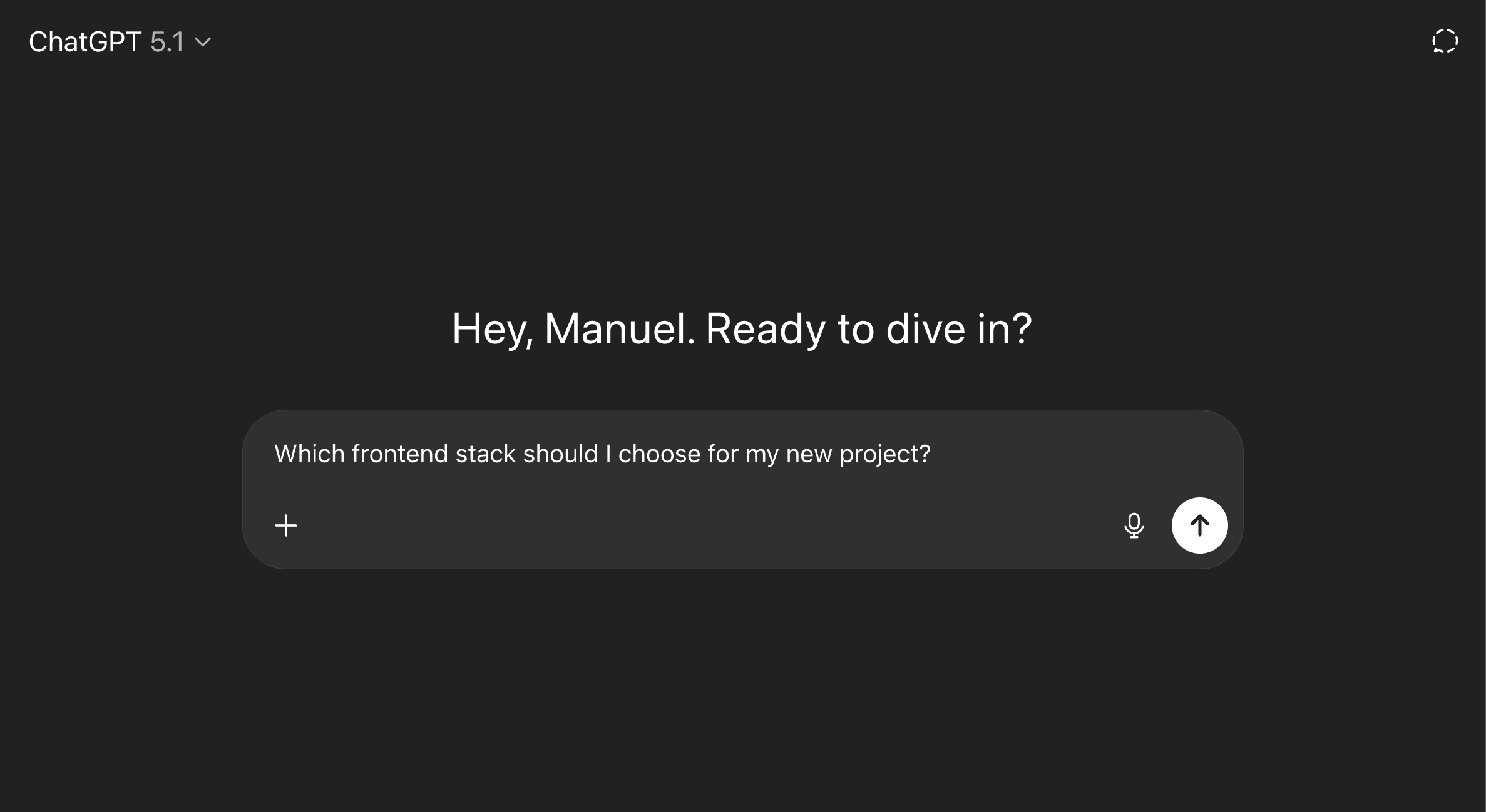
Publicado el 19 de noviembre de 2025. Actualizado el 5 de agosto de 2026 con fuentes y umbrales concretos.
Pick the stack from what the project has to do, not from what is current. In practice that collapses to three questions: how much of the page needs to be interactive, how fast the first view has to render, and who maintains it in a year. Everything below is a way of answering those with numbers instead of preferences.
Define "fast" before choosing anything
"Good performance" is not an opinion. Google publishes thresholds, and a page passes only if it meets them at the 75th percentile of loads across mobile and desktop:
- LCP (largest contentful paint): 2.5 seconds or less.
- INP (interaction to next paint): 200 milliseconds or less.
- CLS (cumulative layout shift): 0.1 or less.
Write those three numbers into the brief before anyone argues about frameworks. A stack decision you cannot check against a threshold is a preference, and preferences are how teams end up rebuilding in eighteen months.
The question that actually separates the options
How much of the page is interactive?
That single answer eliminates more options than any feature comparison. A documentation site is text with a search box. A dashboard is interactive from edge to edge. They are not the same problem and they do not want the same tool.
Mostly static: Astro
Astro's default is the aggressive one. Its documentation is explicit: "By default, Astro will automatically render every UI component to just HTML and CSS, stripping out all client-side JavaScript automatically". Interactivity is opt-in per component through client:* directives, so a page ships JavaScript only where you asked for it.
That is the right default for blogs, documentation, marketing sites and anything where LCP is the metric that matters. The catch is the one its own users hit: if the project turns out to be more interactive than you thought, you end up opting in everywhere and lose the advantage that made you pick it.
Mixed, which is most products: Next.js
Most real projects are a public marketing surface plus an authenticated application, and they share components. Next.js is built for that seam — server rendering, static generation and incremental regeneration in one project, with the routing and data conventions already decided.
The cost is real and worth naming: it decides a lot on your behalf. On a small site that is overhead you will feel every time you fight a convention rather than use it.
Interactive end to end: plain React
An internal tool behind a login has no SEO requirement and no first-paint pressure from search. A meta-framework buys you less there, and its conventions cost you flexibility. Plain React with a router you choose is often the honest answer.
The risk is the one nobody prices in: everything a framework would have decided — routing, data fetching, code splitting, error boundaries — is now a decision your team has to make and keep making. That is fine with senior people and expensive without them.
Shopify commerce: Hydrogen
If the store is on Shopify and you need a custom storefront, Hydrogen exists for exactly that and integrates directly. Outside that context it is not a general-purpose choice.
One detail worth knowing before you assume server rendering solves SEO by itself: Next.js documents that bots and crawlers are detected by user agent and handled differently — it skips the static shell and renders the whole page at request time, because a crawler needs a complete document. That is usually what you want, and it also means a page that renders fine for a person can fail for a crawler if the shell depended on data that is not reachable at request time. Test with a crawler, not with your browser.
The constraint people skip
Who maintains this in a year?
A stack that only its author can extend is a liability regardless of benchmarks. If your team knows React and the ideal choice is something else, the ideal choice is probably wrong — the gap between "technically better" and "your team ships confidently in it" is where budgets die.
Our read, having made this call repeatedly: the second-best technology maintained by people who understand it beats the best one nobody wants to touch. This is the least fashionable criterion and the one that decides most projects.
How to decide in practice
Write down, in this order: what percentage of the page needs client-side interactivity, what your LCP target is, who maintains it, and whether it has to scale into something else within a year. If the answers are "almost none", "under 2.5 seconds", "a small team", and "probably not", you are looking at a static-first tool. If interactivity is high and SEO is irrelevant, you are looking at a plain application. Most projects sit between the two, which is why Next.js is the common answer — not because it is best, but because most products are hybrids.
Then check it. Six weeks in, measure LCP, INP and CLS at the 75th percentile against the numbers you wrote down. A stack choice that was never tested against a threshold was never a decision.
Frequently asked questions
Is Next.js overkill for a landing page?
Often, yes. A single marketing page with no application behind it does not need routing conventions, server rendering modes or incremental regeneration. The reason to choose it anyway is if that landing page is the first screen of a product you are going to build — migrating later costs more than the initial overhead.
Does Astro mean I cannot use React?
No. Astro renders React components to static HTML and hydrates only the ones you mark with a client:* directive. You keep the component model and drop the runtime cost on everything that does not need it.
How do I know if my current stack is the problem?
Measure before you rebuild. If LCP, INP and CLS are inside the thresholds and the team ships at a reasonable pace, the stack is not your problem — and a rewrite will cost months to arrive somewhere you already were.
What if we choose wrong?
The reversible mistakes are cheap and the irreversible ones are structural. Picking a framework is usually reversible over a year. Coupling your content, your data model and your rendering strategy into something only one person understands is not.
Sources
- Web Vitals — Google, web.dev. Umbrales de LCP, INP y CLS.
- Caching and Partial Prerendering — documentación oficial de Next.js.
- Islands Architecture — documentación oficial de Astro.
![[object Object]](/_next/image?url=https%3A%2F%2Fres.cloudinary.com%2Fdh1xrwguk%2Fimage%2Fupload%2Fv1791397083%2Fblog%2Fai-every-recommendation-cover-en-v3-transparent.png&w=3840&q=75)
![[object Object]](/_next/image?url=https%3A%2F%2Fres.cloudinary.com%2Fdh1xrwguk%2Fimage%2Fupload%2Fv1790966353%2Fblog%2Fbook-of-shapes-rules-v3-transparent.png&w=3840&q=75)
![[object Object]](/_next/image?url=https%3A%2F%2Fres.cloudinary.com%2Fdh1xrwguk%2Fimage%2Fupload%2Fv1790707343%2Fblog%2Fopenai-dots-delegation-product-v4-transparent.png&w=3840&q=75)